In this guide
- How a Barrier Gate Remote Control Works
- Fixed Code vs Rolling Code: Which One to Choose
- Frequencies, Compatibility and Replacement
- Remote Battery and Range
Facility managers, HOA committees, security integrators and importers all arrive at the same question sooner or later: which remote control works with this barrier gate, where do I get extra remotes, and why did my old one suddenly stop working? A barrier gate remote control looks like a simple key fob, but the radio frequency, the coding system and the receiver all have to match. This guide explains how boom barrier remote controls work, how to choose between fixed-code and rolling-code remotes, how to replace a lost or broken fob, and what to check before ordering barrier gate remotes factory-direct.
How does a barrier gate remote control work?
An automatic barrier gate remote control is a small radio transmitter. When you press a button, it sends an RF (radio frequency) signal to a receiver board inside the barrier gate cabinet. The receiver checks the code and tells the controller to raise or lower the boom arm.
- Frequency — the most common frequency worldwide is 433.92 MHz. Many European systems use 868 MHz, and some older or regional systems operate around 315 MHz or 418 MHz. The remote must match the receiver’s frequency and protocol, which is why a remote from one brand usually will not operate a barrier from another brand unless the receiver is also replaced.
- Buttons — most gate remotes use two buttons (open, and stop/close) or four buttons, which lets one remote operate several gates or lanes from a single receiver.
- Pairing — the receiver learns each remote through a pairing procedure (see the programming section below), and one receiver can normally store dozens of remotes.
For our own barrier gate series, the standard remote control distance is up to 40 meters, which covers typical entrance and car-park layouts; the usable range in practice depends on battery condition, the receiver antenna and obstacles in the lane.
Fixed code vs rolling code: which one to choose?
Every press of a fixed-code remote sends the same digital code. Fixed-code remotes are inexpensive and simple, but the code can be captured and replayed with widely available equipment — a real concern at gated communities and commercial sites where many people share the same gate.
A rolling code (also called hopping code) changes the transmitted code on every press, using an algorithm shared with the receiver. Even if a signal is recorded, it cannot be replayed, because the receiver expects the next code in the sequence.
| Remote type | How it works | Best suited for |
| Fixed code | Same code every press; receiver checks a stored code list | Budget residential driveways, low-traffic gates |
| Rolling code | Code changes on every press; recorded signals cannot be replayed | Gated communities, commercial car parks, security-sensitive sites |
For any site where several users or the public share a gate, ask the factory for rolling-code remotes. Our DC brushless barrier gates are supplied with rolling-code remote controls, and the receiver stores a large number of remotes for staff, residents or vehicles. One note for US buyers: remote convenience does not replace the safety requirements of UL 325 — photocells or other entrapment protection must be in place no matter how the gate is triggered. Our UL 325 guide explains the full requirement.
What about frequencies, compatibility and replacement?
How do you know which remote fits your gate? Follow these steps:
- Read the label on the receiver board or on the existing remote — the frequency (for example 433.92 MHz) is usually printed there.
- Match the frequency and the coding system (fixed or rolling) — not just the brand.
- When in doubt, replace the receiver together with the remotes — a receiver board is inexpensive compared with the downtime of a gate that only half the staff can open.

Universal remotes can copy the signal of an existing remote, but only if the frequency and protocol are compatible — they do not work with every gate automatically. If you buy a remote from a different brand or model, compare the frequency and coding system before you pay.
When ordering a new barrier gate, ask how many remotes are included and whether spare remotes will stay available for later orders. Barrier gates typically ship with remote controls included; confirm the exact quantity and the frequency in your quotation so replacement fobs match later.
What about remote battery and range?
Most barrier gate remotes run on a CR2032 coin-cell battery; some models use AAA batteries. Battery life is typically one to two years of normal use, and a weak battery is the most common cause of a “dead” remote — the LED may still flash, but the range shrinks long before the battery is completely empty.
If the range gets noticeably short:
- Replace the battery first — the cheapest fix and the one that solves most cases.
- Check for new radio interference — LED lighting, wireless cameras and other transmitters on the 433 MHz band can drown out a remote.
- Inspect the receiver antenna inside the cabinet — a bent, corroded or boxed-in antenna cuts range sharply.
Keep spare batteries on site, and for commercial sites keep a few spare factory remotes so a lost fob does not mean every user has to re-learn or wait.
How do you program and replace a barrier gate remote?
The pairing procedure is normally done on the receiver: press and hold the LEARN (or PROG/RADIO) button on the control board until the LED blinks, press a button on the new remote, and the receiver confirms and stores it. Repeat for every remote. If the receiver memory was cleared by a power surge or a reset, re-learn all remotes in one session so nobody is left locked out.
Replace a remote when the case is cracked, the buttons no longer click, or water has got inside. When buying replacement remotes:
- Order the exact model and frequency from the factory so the protocol matches your receiver.
- Check whether your receiver supports rolling code before buying several fobs at once.
- Ask for the pairing instructions in writing together with the remotes.
Because the factory that makes the barrier also makes its remote, spare remotes for every current barrier gate series stay available for years — order them together with other spare parts such as arms, springs and control boards.
What quick checks help when a remote stops working?
Before calling an installer, run this five-minute check:
- Battery — replace the CR2032 or AAA cell and test again.
- LED — if the LED does not light when you press a button, the remote or its battery is at fault.
- Close-range test — if it works only next to the gate, suspect battery, interference or the antenna.
- Re-pair — re-learn the remote on the receiver; memory can be erased by a power surge or a reset.
- Receiver — check the control board power and the receiver antenna inside the cabinet.
If none of these helps, the fault is probably in the gate itself — power supply, photocells or loop detector. Our boom barrier troubleshooting guide covers the full diagnostic checklist and the maintenance routine that prevents most of these failures.
How do remote controls fit into an access control system?
A remote control is the right access method when a small, stable group uses the gate: staff vehicles, residents or monthly parkers. When drivers change often, or when access has to be recorded and audited, combine the remote with other credentials:
- License plate recognition (LPR) — a camera reads the plate and opens the gate for registered vehicles while logging every entry. See our LPR integration guide.
- RFID tags — hands-free entry for windshield tags; convenient for fleets.
- Keypads — rotating PIN codes for visitors, deliveries and after-hours access.
- Intercom / telephone entry — visitor calls, host approves, gate opens.
- Payment kiosks — for public pay-and-display parking, as covered in our parking payment kiosk guide.
All of these connect to the barrier through the controller’s relay inputs — the same terminals the remote receiver uses. A vehicle loop detector inside the lane prevents the arm from closing onto a car that is still in the opening. For gated communities and apartment complexes, the standard layout is a mix of remotes, keypads and a visitor intercom — see our gated community barrier gate guide for the full setup.
How do integrators and resellers buy barrier gate remotes factory-direct?
System integrators, installers and distributors who source barrier gates from China often need remotes in quantity — for the initial installation, as spare stock and for future expansion. When you buy remotes factory-direct:
- Order remotes with the gate order so frequency and protocol are guaranteed to match the receivers on site.
- Ask about OEM branding — remotes printed with your logo and packed in your packaging are standard OEM services. See our OEM barrier guide.
- Request the receiver manual and pairing procedure in writing — your installers will need them on every job.
- Confirm spare availability for the lifetime of the product — a factory that manufactures the gate and the remote keeps both available.
Before choosing a supplier, verify the factory itself: certifications such as ISO 9001, test reports and live production-line video. Our manufacturer selection guide lists what to check. When you are ready, send us your requirements — we quote the barrier gate, the access control and the spare remotes in one order.
FAQ
How much does a replacement barrier gate remote cost?
Factory-direct remote prices depend on the frequency, the coding system and the quantity ordered. Request a quotation for exact pricing — spare remotes can be included with the gate order.
Can I program a new remote myself?
Yes, if the receiver supports learning mode: press the LEARN button on the control board, then a button on the remote. The exact steps are in the receiver manual supplied with the gate.
Why does my remote work only when I stand right next to the gate?
Usually a weak battery, radio interference, or a damaged receiver antenna. Replace the battery first, then check interference sources and the antenna.
How many remotes can one barrier gate store?
Receivers typically store dozens of remotes — enough for staff fleets or resident groups. If the memory is full, delete unused remotes or replace the receiver board.
Can I open my barrier gate with a smartphone?
Yes. With a smart receiver or a 4G/Wi-Fi module, the gate can be operated through an app. Ask the factory which smart options fit your controller.
Do solar-powered barrier gates use the same remotes?
Yes. Solar models keep the standard radio receiver, so the remote behaves the same as on a mains-powered gate. See our solar barrier gate guide for solar system details.
Hardware for remote-controlled lanes
- Intelligent barrier gates with remote and receiver built into the control board
- Access control systems when the lane must also read cards, tags or plates
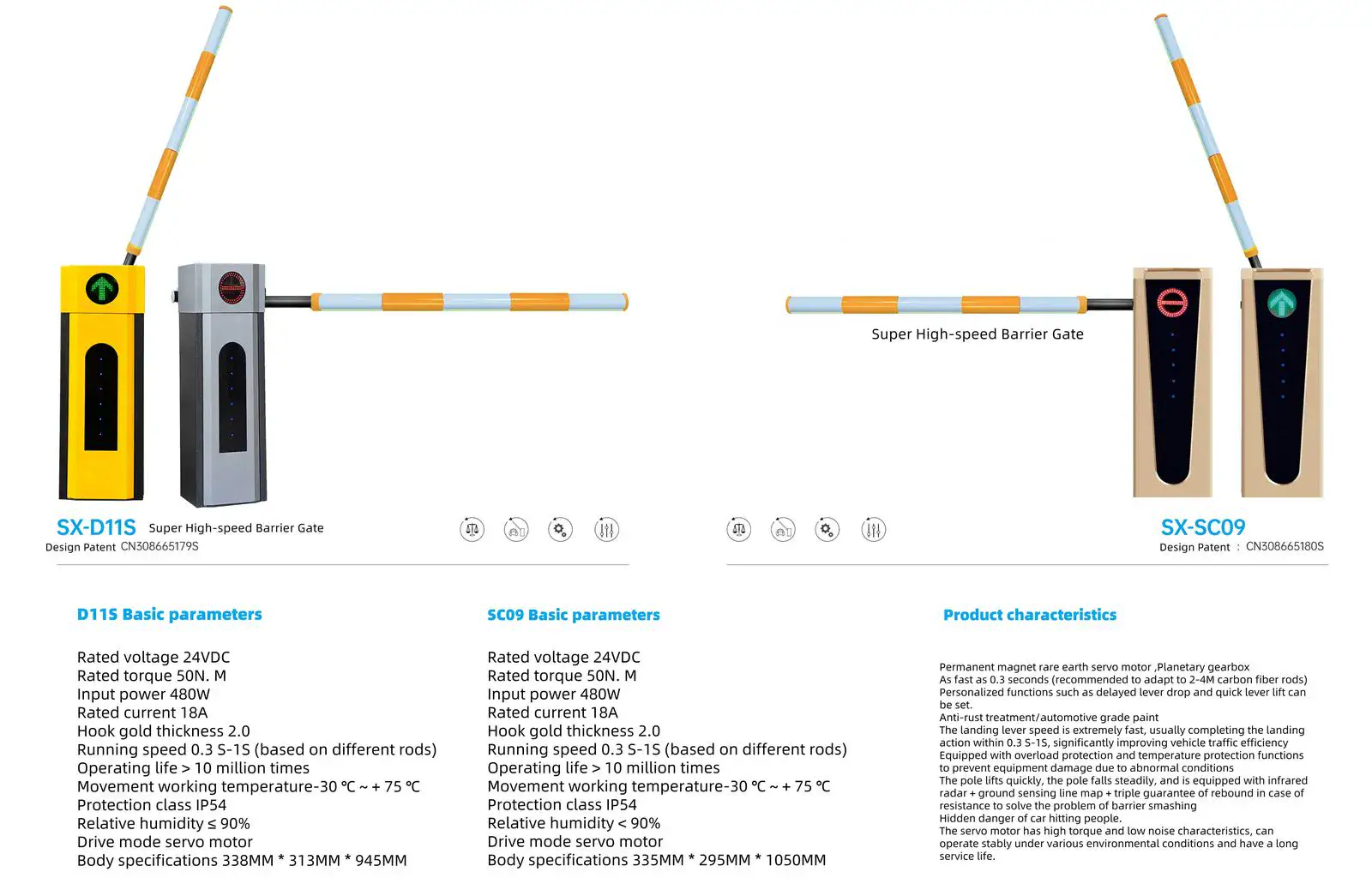
- Arm length guide so the boom actually blocks your lane width
Tell us how many lanes and remotes you need and we will quote the operator, receivers and spare remotes: request a quotation.
Conclusion
The barrier gate remote control is a small part of the system, but it is the part your staff, residents or drivers touch every day. Buy remotes that match your receiver’s frequency and coding system, prefer rolling code for shared gates, keep spare batteries and spare fobs on site, and source spares from the factory that made the gate so they remain available for years. Whether you need one replacement fob or remotes for an entire fleet, contact us for factory-direct pricing — remotes, gates and access control in a single quotation.


